Key Engineering Takeaways
- The harness mediates the loop between model inference and tool execution.
- Persist the state needed to resume and check uncertain write outcomes before retrying.
- Use task-specific checks and explicit stop conditions to decide when a run is complete.
A model can propose a tool call. Something still has to decide whether the action is allowed, run it, capture the result, and decide whether there is enough evidence to finish. That code is the AI agent harness. If you have used a coding agent that reads a repository, edits a file, and runs tests, you have already used one.
What the harness does
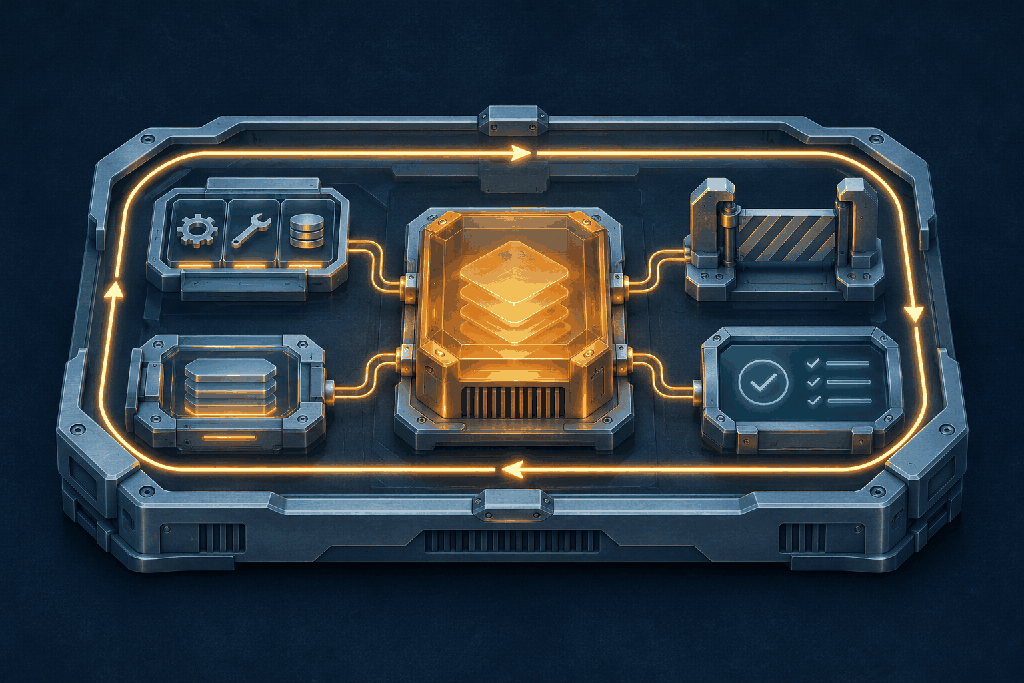
The harness is the runtime software that connects a model to a task and its environment. On each step, it builds the context, asks the model for a response, and handles the response. If the model requests a tool, the harness validates the arguments and checks permissions. After an allowed call, it feeds the result back into the next model request. A turn can end with an answer, a request for approval, a budget limit, or a verified result, depending on the application.
OpenAI's walkthrough of Codex shows this model–tool–model loop in a real coding agent. It also explains why context management belongs in the runtime: a long sequence of tool calls and outputs can fill the context window within a single turn. Unrolling the Codex agent loop
Follow one task from request to result
Suppose an agent has to prepare a weekly sales summary from an approved spreadsheet. The harness loads the reporting period and gives the model access to a tool that reads a specific range. The model asks for this week's rows. The harness validates the range, fetches the data, and records which sheet version it read. A deterministic calculation produces the totals, and the model turns those numbers into a short explanation.
Before marking the draft ready, the harness checks that the draft covers the requested dates and that its totals match the calculation. If the spreadsheet is unavailable, the harness can retry the read within a time budget and surface the missing data if retries fail. If a separate action sends the report, the harness can require approval and attach an idempotency key so retrying a timed-out request does not send a second copy.
The five responsibilities to design first
| Responsibility | Decision to make | | --- | --- | | Control loop | Define when to call the model again, ask the user, stop, or escalate. | | Tools and permissions | Give tools narrow contracts. Enforce access and approval where the action runs. | | Context and state | Decide what the model sees now and what must survive a restart, such as source versions and approved actions. | | Failure handling | Set deadlines and retry budgets. For a write with an uncertain outcome, check whether it already happened before retrying. | | Verification and tracing | Check the result against acceptance criteria and record enough evidence to explain a failure. |
Anthropic's long-running coding-agent experiments illustrate the difference between context and durable state. Their setup records progress and uses a feature checklist so a fresh session can identify unfinished work. That is a useful pattern when work spans sessions. For a short reporting run, the task ID, data version, and validation result may be enough. Effective harnesses for long-running agents
Start with a small harness and test its failures
Pick one workflow with a clear definition of done. Give the model one or two typed tools, set an explicit step or time budget, and validate the output with application code wherever there is a deterministic check. Capture tool names, outcomes, timings, and the final stop reason. Keep sensitive inputs out of traces unless there is a defined need and a retention policy.
Test the cases that separate a demo from dependable software: invalid tool arguments, a permission denial, a timeout after a write, a restart mid-task, and a fluent answer that fails validation. A task-specific check can confirm that sales totals reconcile, while a human reviewer may still need to judge whether the explanation is useful. Add retries, durable checkpoints, or broader tool access when those tests show where the extra machinery earns its cost.
Continue Reading
All Blog PostsAttention Is All You Need Paper Breakdown: The Original Transformer Architecture
Technical paper teardown of Attention Is All You Need (Vaswani et al., NIPS 2017) detailing Scaled Dot-Product Attention math, Multi-Head Attention projections, Sinusoidal Positional Encoding, and KV cache memory bounds.
The Complete Map of an LLM System
A production LLM system is a chain of contracts, not a model wrapped in a chat box.
Prompting vs RAG vs Fine-Tuning vs Tools
The right intervention follows the type of gap: instructions, knowledge, behavior, or action.